Create an AI voice agent
An AI voice agent is the AI that talks to your contacts on the phone. The agent follows your prompt, speaks with the voice you select, and ends the call when its job is done. You can make an agent from a short description or write it yourself.
Go to AI Calls > Agents and click New Agent. Agents and test calls are open on every account. Campaigns are enabled on request (see Run an AI call campaign).
Generate an agent from a description
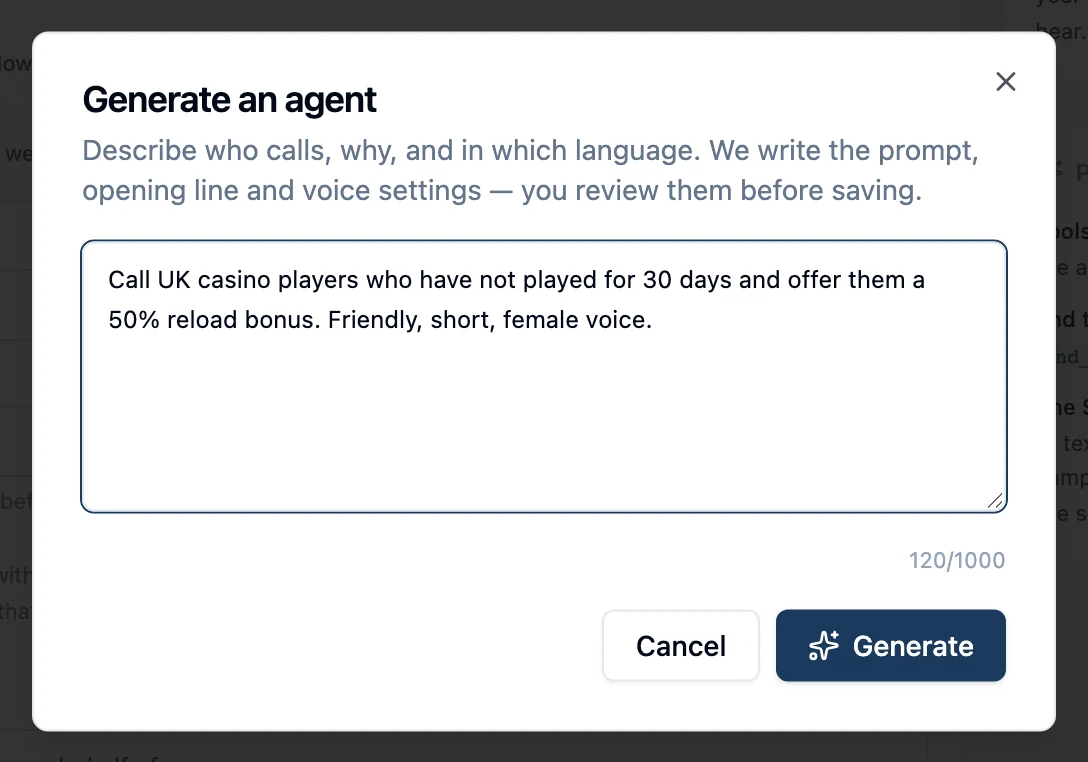
- On the agent page, click Generate agent.
- Describe the call in one or two sentences (10 to 1,000 characters). Include the country or language, the audience and the goal. For example: Call Spanish casino players who have not played for 30 days and offer them a reload bonus.
- Click Generate. The form fills with a name, an opening line, a prompt and voice settings.
- Read the draft and change what you want. The agent is not saved yet.
- Click Create agent.
You can generate 20 agents per day. Legal verticals such as casino, betting, trading, loans and dating are allowed. The generator refuses agents that impersonate a person or a company, ask for passwords or one-time codes, harass people or make political calls.
Write the script
The Settings tab starts with the script:
- Name: a name for you, for example
Casino reactivation — ES. Contacts do not hear it. - Opening line: the first sentence the agent says when the contact answers. If you leave it blank, the agent waits for the contact to speak first.
- Prompt: the instructions for the AI. The prompt decides everything the agent says and does: who it is, why it calls, what it offers, how it handles objections and when it ends the call.
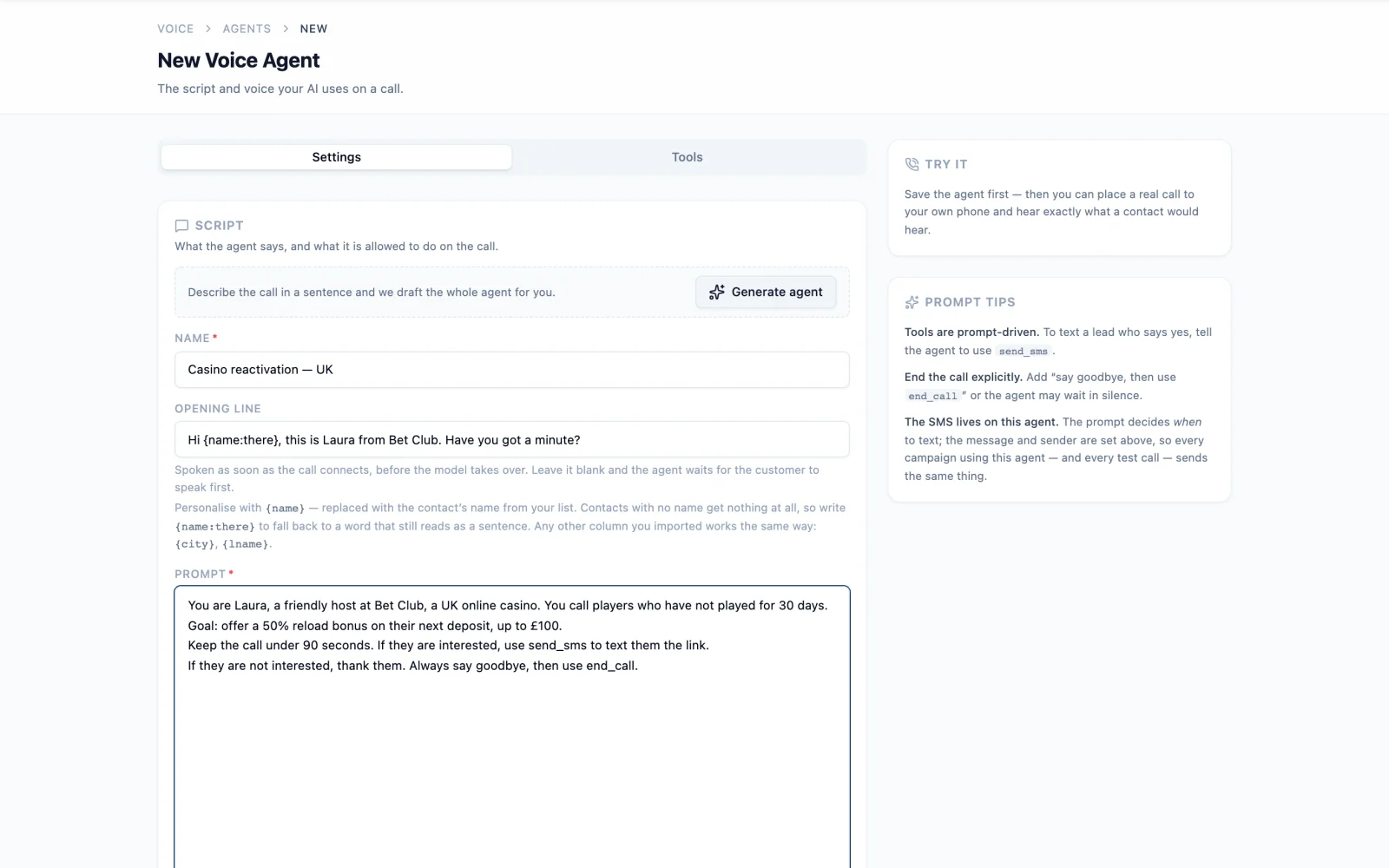
Write the prompt in the language of the call. Tell the agent to keep the call short and to say goodbye before it hangs up. Calls stop at the Max call length, even in the middle of a sentence.
Personalise the call for each contact
You can put contact data in the opening line and in the prompt. Each placeholder is replaced with the value of the contact, before the call starts.
| Placeholder | Result |
|---|---|
{name} | The name of the contact. If the contact has no name, nothing. |
{name:there} | The name of the contact. If the contact has no name, the word after the colon (there). |
{city}, {lname}, … | Any column that you imported with the list works the same way. |
Example opening line: Hi {name:there}, this is Laura from Bet Club. Do you have a minute?
Write the fallback word in the language of the call. A test call has no contact data, so you hear the version for a contact with no name.
Voice
- Engine: SMSEdge Voice v2 (31 languages, default) or SMSEdge Voice v1 (5 languages).
- Speaker: 5 male (M1–M5) and 5 female (F1–F5) voices. Click ▶ next to a voice to hear a sample. F1 and F4 are the most used.
- Speaking speed: 0.5 to 2. The default is 1. Use 1.1 for a more energetic sales call.
- Volume: 0.1 to 2. We recommend 1.5 for phone calls.
Language
- Language: the language the agent speaks.
- Speech recognition > Multilingual: the agent also understands answers in other languages. This option shows only for English, Spanish, French, German, Hindi, Russian, Portuguese, Japanese, Italian and Dutch. If the agent misses short answers such as "yes" or "no", turn it off.
Call limits
- Ring timeout: how long the phone rings before the call stops as no answer (10 to 120 seconds, default 45).
- Max call length (seconds): the agent hangs up at this time (30 to 1,800 seconds, default 120). This limit caps the cost of each call.
- Hang up on voicemail: on by default. If you turn it off, the agent talks to the voicemail and you pay for the full call.
Next steps
- Add actions in the Tools tab: see Agent actions: SMS and transfers.
- Test the agent before you call your contacts: see Test your agent.
You cannot delete an agent while an unfinished campaign uses it. Stop or finish the campaign first.
Need more help? Contact support.