Test your agent
Test every agent before it calls your contacts. There are three ways to test, from free and fast to a real call on your own line:
| Test | Where | What you need | Cost |
|---|---|---|---|
| Text chat | Agent page > Try it | A saved agent | Free |
| Demo call | AI Calls > Overview | A saved agent and your verified phone | 3 free calls, then billed |
| Test call | Agent page > Try it > Test call | Your own connected number | Billed like any call |
Chat with the agent
The text chat answers exactly as the agent would on a call. Nothing is dialled and nothing is sent. Use it to check the prompt quickly after each change.
- Save the agent.
- In the Try it card, click Chat with it.
- Type what a contact would say, for example Who is this? or I'm not interested.
- After you change the prompt, save the agent and click Restart. The chat always uses the saved version.
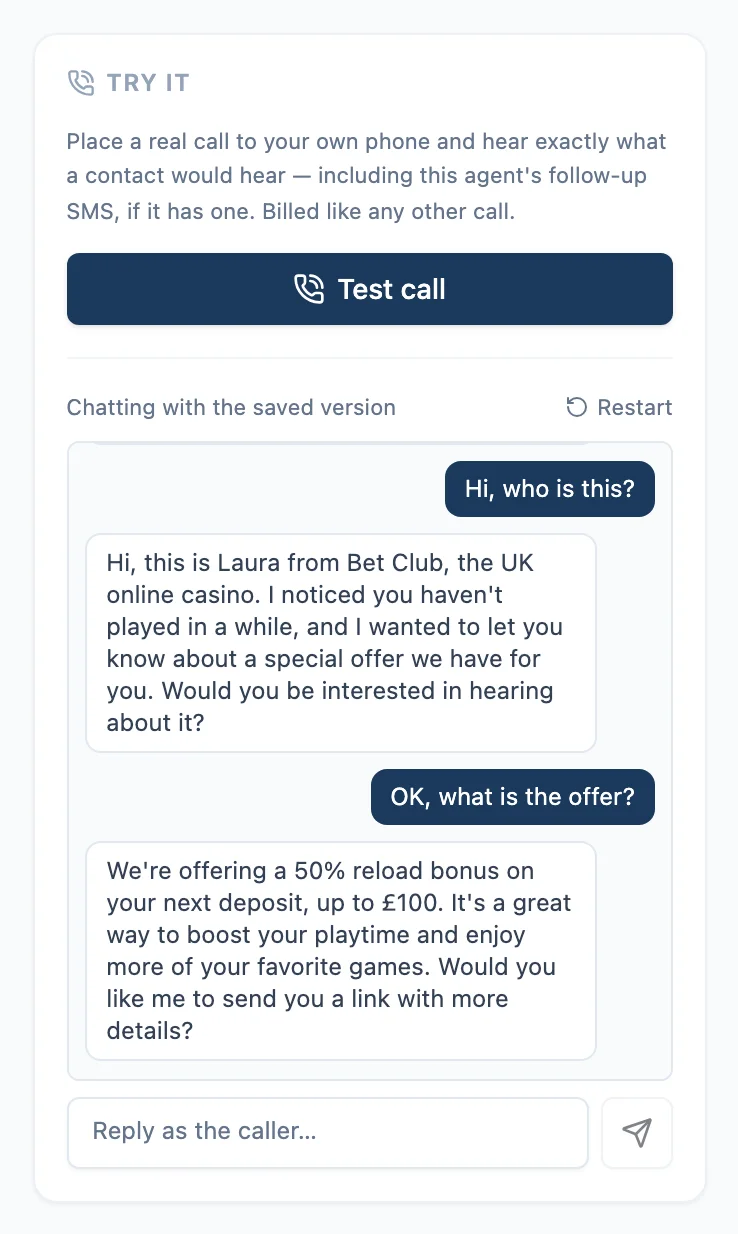
Actions show as labels, for example Would send the follow-up SMS, Would hang up or Would transfer to an advisor. When the agent ends the call or transfers it, the chat stops. Click Start again to begin a new chat.
Limits: 30 messages per chat, 2,000 characters per message and 60 messages per hour.
Hear the agent with a demo call
A demo call rings your phone from our demo number. You do not need your own phone line.
- Go to AI Calls > Overview. Find the card Hear your agent on your phone (in the getting-started checklist, it is the step Hear it on your phone).
- Select your country and type your number in Your phone.
- Click Text me a code.
- Type the 6-digit code from the SMS. The number is verified as soon as all 6 digits are in.
- Click Call me now.
- Select the Agent and click Call me. Your phone rings within a few seconds.
- A demo call rings only the number you verified. To use a different phone, verify the new number.
- Each verified phone gets 3 free demo calls. After that, demo calls are billed like any other call. The card shows how many free calls are left.
- A demo call stops after 120 seconds.
- If you see Free demo calls are busy right now, try again in an hour, or add funds to call now.
Place a test call from your own number
A test call is a real call from your own caller ID. It is the best test before a campaign, because the contact sees the same number and hears the same agent.
- Connect a number first: see Connect your phone numbers.
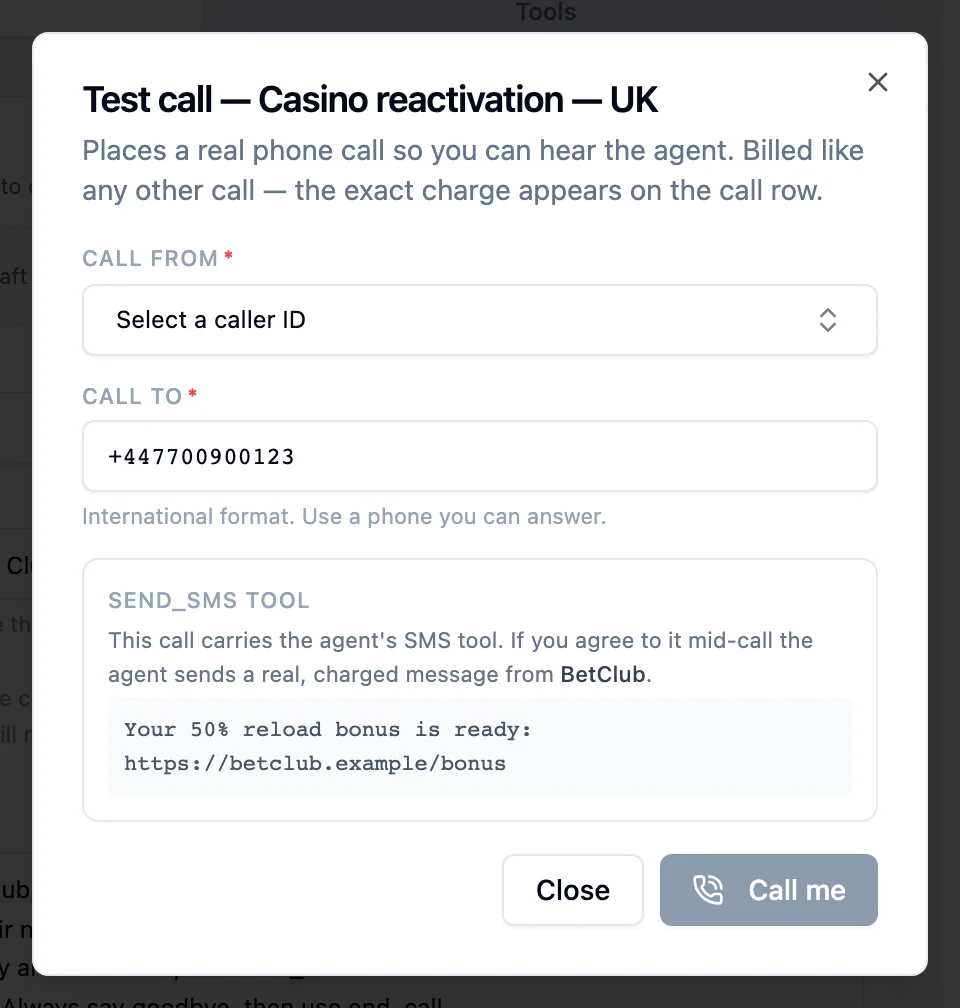
- Open the agent and click Test call in the Try it card.
- In Call from, select your number.
- In Call to, type your phone number in international format, for example
+447700900123. - Click Call me.
The dialog shows the call Status, the Outcome, whether the follow-up SMS was sent, any transfer, and the billed time and cost. Click Call again to repeat the test.
If the agent has a follow-up SMS, a test call sends a real SMS to your phone, and you pay for it.
Limits: one test call at a time, 10 test calls per hour and 30 per day. You need a positive balance for a test call.
Check the result
Every test call and demo call shows in AI Calls > Calls with the type test. Open the call to listen to the recording and read the transcript. See Calls, transcripts and costs.
Checklist before you launch
- The opening line sounds natural with a name and with no name.
- The agent handles "not interested", "call me later" and "who is this?".
- The agent says goodbye and ends the call.
- The follow-up SMS arrives with the correct link and sender name.
- A transfer rings the correct person.
Need more help? Contact support.