Offers, leads and sales in email
Your SMS offers work in email too. Link a template to an offer, and every email gets its own click ID in the offer URL. When the contact signs up or buys, your conversion pixel sends the click ID back, and the lead or sale shows on the email campaign — the same way as for SMS.
How it works
- The template has a link or a button to
{{{offer}}}. - In the campaign, you select an offer for that template.
- At send time,
{{{offer}}}becomes the offer URL.{{{dynamic}}}in the URL becomes the click ID of that email. - Your landing page or tracker keeps the click ID and calls the postback URL for each lead and sale.
Step 1: Link the template to the offer
- Open the template in Email > Templates.
- Select the button (or add a Button block).
- Click Link to the campaign offer. The link becomes
{{{offer}}}. - Click Save template.
In a text block or in HTML, use {{{offer}}} as the link address: <a href="{{{offer}}}">See the offer</a>.
Step 2: Select the offer in the campaign
- In the campaign wizard, go to Content.
- Under each template, select an Offer. In an A/B test, each template can have its own offer, so you can test 2 offers against each other.
- To add a new offer, click Add an offer, type a name and the URL, and click Add the offer. The new offer is also available in your SMS campaigns.
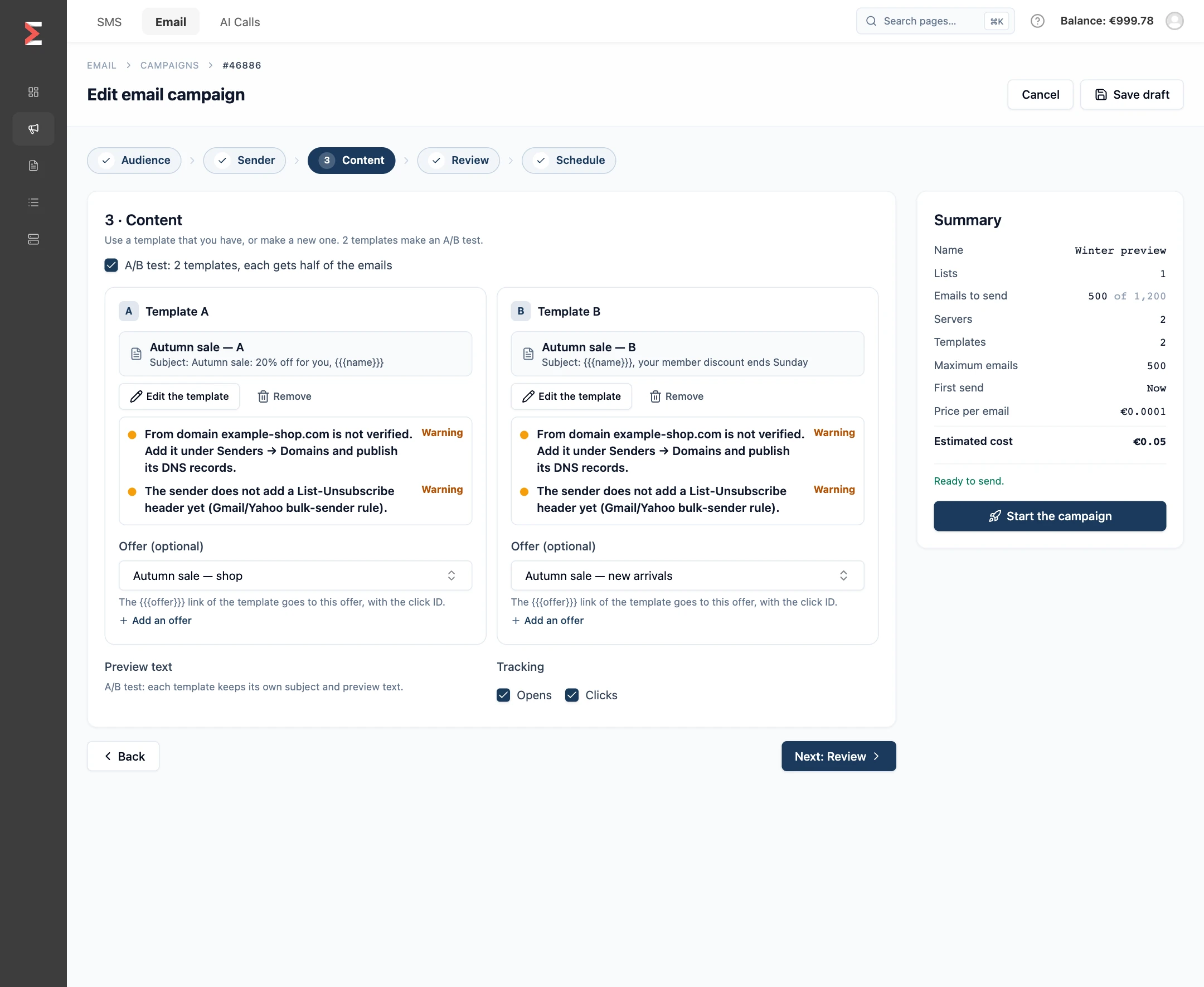
A template that links to {{{offer}}} needs an offer. Without one, the campaign does not start.
Offer URL parameters
| Tag in the offer URL | Becomes |
|---|---|
{{{dynamic}}} | The click ID of the email, for example e-47063-1119-04521983317. Required for leads and sales. |
{{{offer_id}}} | The ID of the offer. |
{{{camp_id}}} | The ID of the campaign. |
{{{email}}}, {{{name}}} | The address and the name of the contact. |
Example: https://shop.example.com/sale?click={{{dynamic}}}&utm_campaign={{{camp_id}}}
Step 3: Send leads and sales back
Use the same postback URLs as for SMS. Put the click ID in key:
http://edgepxl.com/postback.php?type=lead&key={{{dynamic}}}
http://edgepxl.com/postback.php?type=sale&key={{{dynamic}}}
Your tracker replaces {{{dynamic}}} with the click ID it received. A repeated postback for the same email counts only once.
For more about the pixel, see Integrate a conversion pixel.
See the results
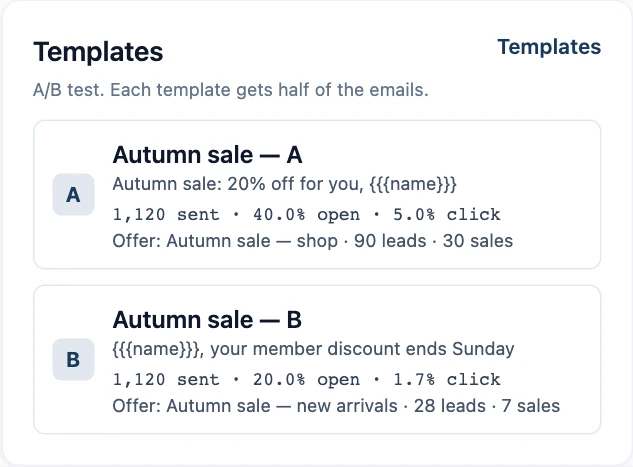
The campaign page shows leads and sales in the top line. In Templates, each template shows its offer with its own leads and sales.
Need more help? Contact support.