Clean your email lists
List cleaning (validation) checks each address with the mailbox provider before you send. It finds addresses that do not exist, typing errors and domains that accept everything. Sending to bad addresses gives bounces, and many bounces damage the reputation of your server and domain at Gmail, Outlook and Yahoo.
Clean a list
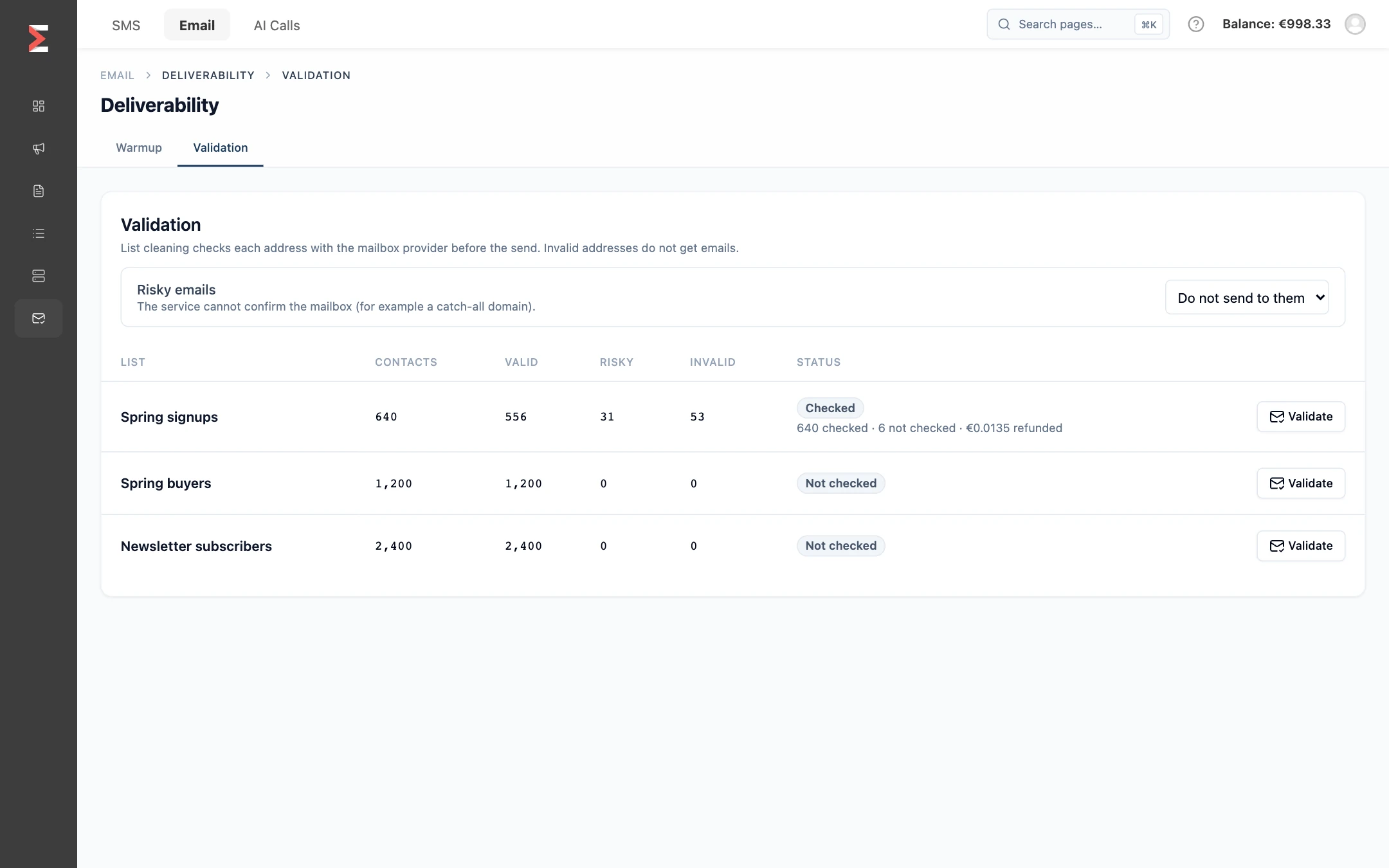
- Go to Email > Deliverability > Validation.
- Find the list and click Validate.
- Check the number of emails and the cost in the dialog. Only addresses that were not checked before are checked.
- Click Validate N emails.
While the check runs, the list shows Running and the addresses that are being checked are not sent. When the check ends, the list shows the result.
Results
| Result | What happens at send |
|---|---|
| Valid | The address exists. It gets your emails, before the addresses that were not checked. |
| Invalid | The address does not exist or cannot get email. It does not get your emails. |
| Risky | The service cannot confirm the mailbox, for example on a catch-all domain that accepts every address. Your setting decides (see below). |
| Not checked | The address was not cleaned yet, or the service could not check it (a timeout or an error; you get the money back for it). It gets your emails after the valid addresses. Click Validate to check it. |
Risky emails
Select what the send does with risky addresses in Risky emails at the top of the Validation tab:
- Do not send to them (default): the safest choice for your reputation.
- Send to them last: risky addresses get the email after all valid addresses.
The setting applies to all your campaigns from the next send.
Cost and refunds
- The price per address shows in the dialog before you start. The check is charged when it starts.
- Addresses that the service could not check are refunded when the check ends. The list shows the refunded amount.
- If the check stops because of an error at the service, the whole check is refunded and all addresses stay as before.
- An address is checked once. A second validation of the same list checks only the new addresses.
When to clean a list
- Before the first send to a new or imported list.
- Before you send to a list that you did not use for more than 3 months.
- When the bounce rate of a campaign is above 2%.
Cleaning does not replace consent. Send only to contacts who agreed to get your emails. Bought lists give spam complaints, and complaints damage your reputation more than bounces.
Need more help? Contact support.