Sending speed per mailbox provider
Gmail, Outlook and Yahoo each decide how fast they accept email from your server. If you send too fast, they delay your emails or put them in spam. With a speed limit per mailbox provider, each server sends at most the number of emails per hour that you set for that provider.
How the speed limit works
- The limit is per server and per provider. For example: "Main SMTP: 500 emails per hour to Gmail, 300 to Outlook".
- The hour is the clock hour (10:00–10:59, 11:00–11:59 and so on).
- When a server reaches its limit for a provider, the next emails to that provider go through another server of the campaign that still has room.
- When all servers of the campaign are at the limit, the rest of the emails to that provider wait in the same send and go out at the start of the next hour. Emails to the other providers continue.
- An email that waits is not charged until it is sent. Nobody gets the email twice.
- An empty field means no limit for that provider.
Set the speed per provider
- Go to Email > Senders > Servers.
- Click Edit on the server, or Add a server for a new one.
- In Speed per mailbox provider, type the maximum emails per hour for Gmail, Outlook, Yahoo, iCloud and Other.
- Click Save.
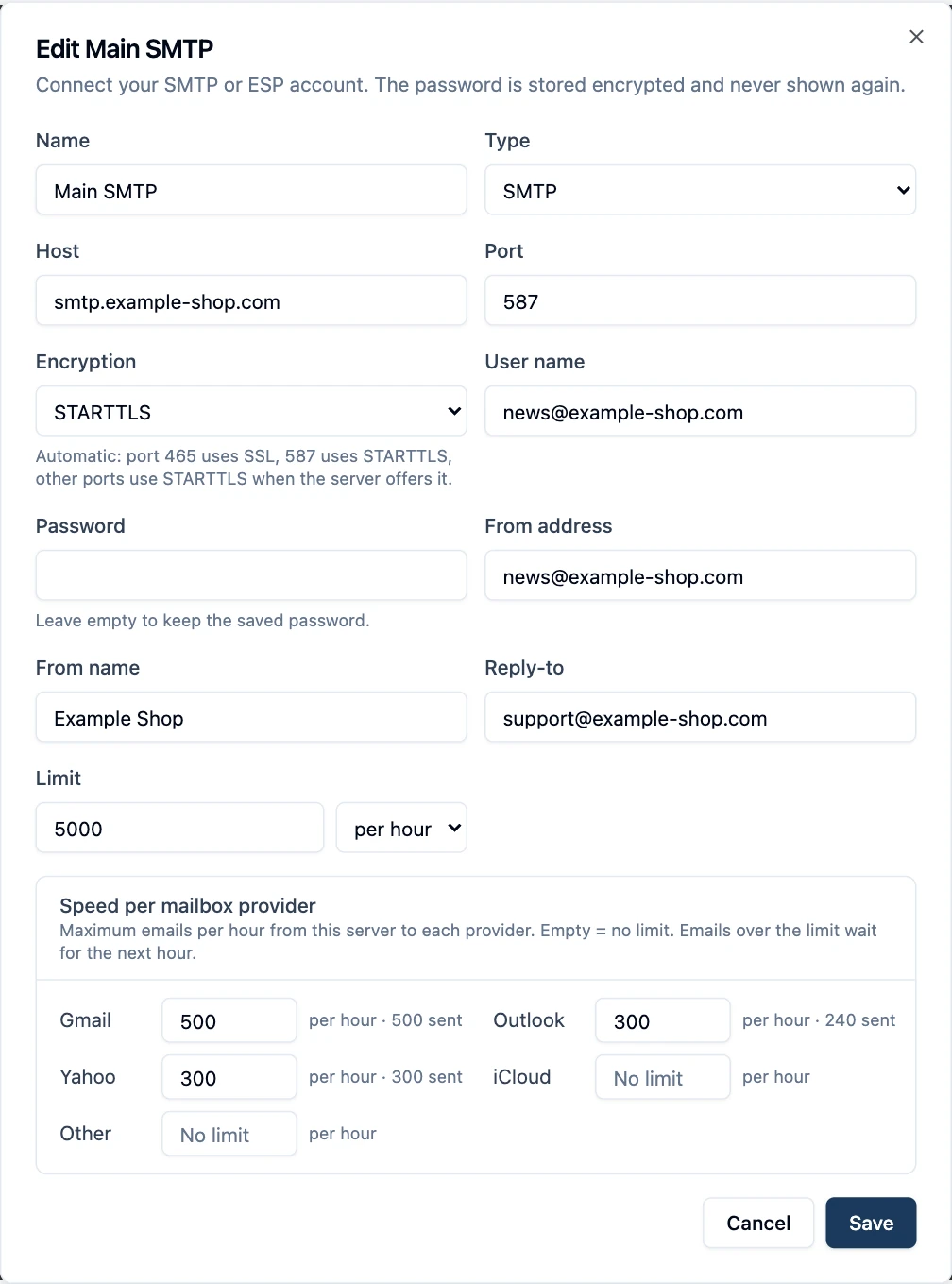
Which provider does an address belong to
| Provider | Domains |
|---|---|
| Gmail | gmail.com, googlemail.com |
| Outlook | outlook.com, hotmail.*, live.*, msn.com and their country domains |
| Yahoo | yahoo.*, ymail.com, rocketmail.com, aol.*, aim.com, verizon.* |
| iCloud | icloud.com, me.com, mac.com |
| Other | All other domains, also company domains |
See an email that waits
Open the campaign. In Sends, the send shows a yellow note when emails wait for the next hour. The note tells which provider, which server limit and when the next send starts.
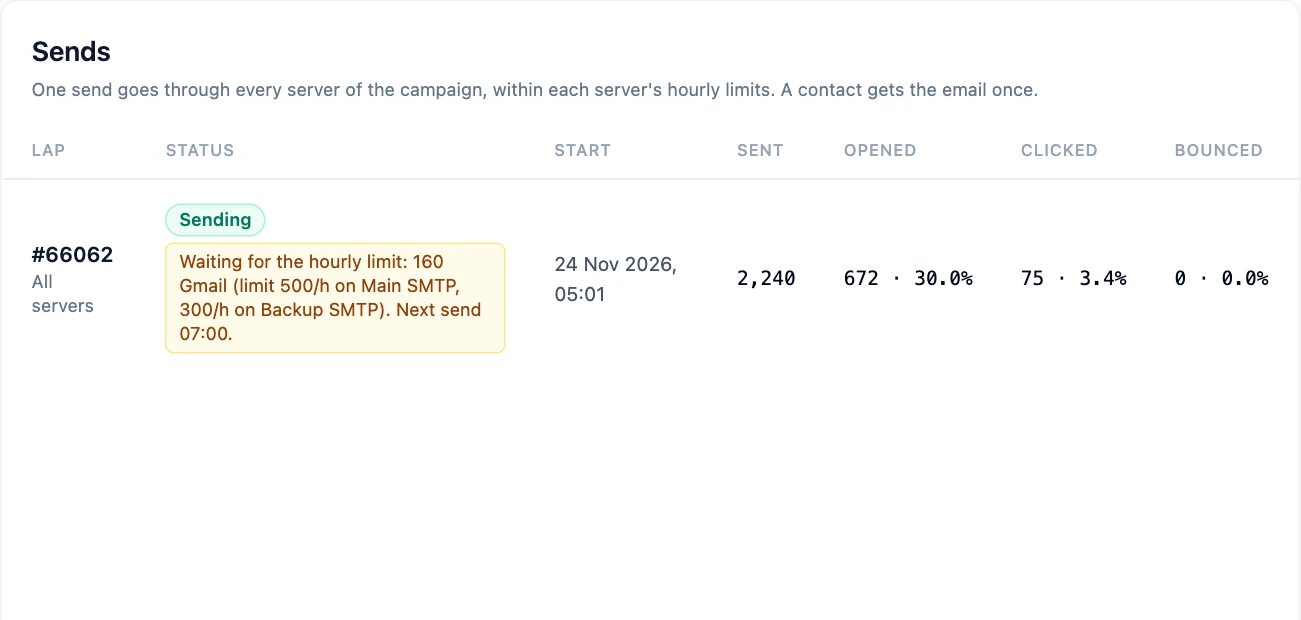
Speed per provider and the overall server limit
The Limit field of the server is the overall limit for all providers together. Your email provider (for example Amazon SES) may also have its own limit. Set the speed per provider at or below these limits.
What speed to use
There is no fixed number. It depends on the age and reputation of your server and domain. Use these values as a start and raise them slowly when your open rate stays good and your bounce rate stays low.
| Server | Gmail per hour | Outlook per hour | Yahoo per hour |
|---|---|---|---|
| New server or new domain (first 2 weeks) | 50–100 | 50–100 | 50–100 |
| Warm server, good open rate | 500–1,000 | 300–800 | 300–800 |
| Established server with high volume | 2,000+ | 1,000+ | 1,000+ |
If the open rate at one provider falls, lower the speed for that provider only. The other providers keep their speed.
Need more help? Contact support.